 Celdo
Features
Pricing
Help
ES
Add to Chrome
Copy any web table to Excel & Google Sheets
One click. Clean data. Numbers that stay numbers, even when the website uses a different number format.
Add to Chrome, it’s free 3 free tables a day · PRO unlimited for €4.99/month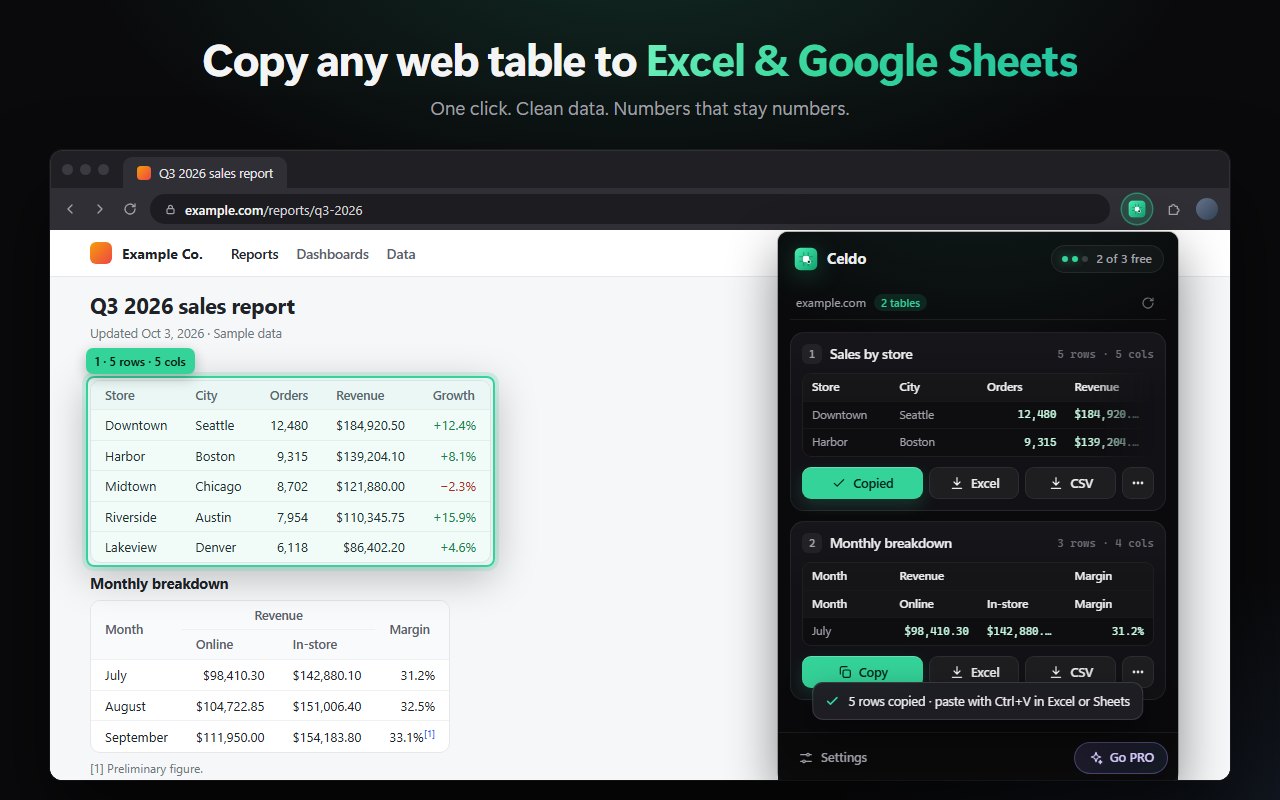
Everything a copied table should be
“1.234,56 €”, “12,5 %” or “(1,200)” arrive as real numbers your spreadsheet can add up, not as text.
Paste it anywhere, or download a real .xlsx with bold, frozen headers and filters.
Merged cells, multi-row headers and web-app grids. Hover a table to spot it on the page.
Runs 100% in your browser. The tables you copy never leave your computer.
Simple pricing
Free
- 3 tables every day
- Every format
- No sign-up
PRO
- Unlimited tables
- Up to 3 computers
- Cancel anytime in two clicks
Help
Where is the Celdo icon?
Click the puzzle-piece icon at the top right of Chrome and then the pin next to Celdo. The icon will stay in your toolbar.
Celdo says “Chrome protects this page”
Chrome doesn’t let any extension read its own pages (chrome://, the new tab page or the Chrome Web Store). Open a normal website and try again.
A table isn’t found
Wait until the page has finished loading and click “Scan again” (↻). Celdo reads normal tables and the grids of most web apps. Tables embedded from another website can’t be read, and grids that only draw the rows on screen are copied as you see them.
The numbers look wrong in my spreadsheet
Open Settings and choose the decimal separator your Excel uses (comma or dot). To copy the text exactly as it appears, turn off “Numbers as numbers”.
When do my free tables come back?
Every day at midnight, your local time. Copying the same table in another format on the same day doesn’t use another one.
How do I activate PRO?
After paying you’ll receive a license key by email. Open Celdo → Settings → License, paste the key and press Activate.
I’m switching computers
On the old computer, open Settings → License → “Use on another computer”. Then paste the same key on the new one. PRO works on up to 3 computers at the same time.
How do I cancel or get an invoice?
Use “Manage subscription” in Settings → License, or the link in your purchase email. You can cancel anytime; PRO stays active until the end of the period you already paid for.
Does Celdo see my data?
No. Celdo only reads a page when you click its icon, processes the table inside your browser and never sends it anywhere. Read the privacy policy.
Still need help?
Write to us from the “Support” tab of Celdo’s page in the Chrome Web Store.